
The Firestick may appear to be a small device, but it houses a powerful hardware system. In this article, we will explore the inner workings of the Firestick and provide a comprehensive understanding of its hardware components.
From the high-performance processor that drives its seamless operation to the ample memory and storage capacity that stores your favorite shows and movies, we will delve into every aspect of this streaming powerhouse.
Join us as we uncover the secrets behind the Firestick’s exceptional performance and take a closer look at its hardware.

Let’s begin our journey into the world of the Firestick.
Processor Specifications
Contents
Understanding the processor specifications is crucial when exploring the inner workings of the Firestick. The processor, which acts as the device’s brain, is responsible for executing instructions and performing calculations. In the case of the Firestick, it’s equipped with a quad-core processor, meaning it has four independent cores capable of handling multiple tasks simultaneously. This enables smooth and efficient operation, even when running resource-intensive applications or streaming high-quality content.
The processor plays a vital role in determining the overall performance of the Firestick when it comes to hardware. A powerful processor ensures faster loading times, smoother navigation, and seamless multitasking. It also contributes to the device’s ability to handle high-definition video playback without buffering or lag. Therefore, if you plan to use the Firestick for streaming movies, TV shows, or playing games, it’s important to consider the processor specifications.
In terms of tech specs, the Firestick features a 1.7 GHz quad-core processor, providing ample processing power to handle a variety of tasks efficiently. Additionally, the processor is paired with a dedicated graphics engine, ensuring crisp visuals and smooth playback.
Memory and Storage Capacity
When considering the Firestick, it’s important to understand its memory and storage capacity.
The Firestick offers different models with varying storage capacities, allowing users to choose the one that best suits their needs.
However, it’s worth noting that the Firestick has limitations when it comes to memory capacity, which can impact its overall performance.
Therefore, having a clear understanding of the impact of memory and storage capacity is crucial for optimizing your Firestick experience.
Storage Options Available
The Firestick offers various storage options for users to utilize. Let’s explore its memory and storage capacity.
The Firestick provides 8 GB of internal storage, which allows for storing apps, games, and media files. However, it’s important to note that not all of this storage is available to the user. Some of it’s reserved for the operating system and system files.
In terms of memory, the Firestick is equipped with 1 GB of RAM. This enables smooth multitasking and efficient performance when running multiple apps or streaming content.
Additionally, the Firestick supports external storage options. It features a microSD card slot, allowing users to expand the storage capacity by up to 256 GB. This is particularly useful for individuals with a large collection of media files or those who want to download apps and games.
In terms of connectivity, the Firestick supports Wi-Fi, enabling easy connection to the home network and access to online content. It also includes a micro USB port, which serves for both power and data transfer.
Memory Capacity Limitations
The Firestick has certain limitations when it comes to its memory capacity. It’s important to be aware of these limitations before making a decision. Here are three key points to consider:
- Limited Internal Storage: The Firestick typically comes with 8 GB of internal storage. While this may seem small, it’s important to note that the device is primarily designed for streaming and cloud-based storage. Therefore, the limited internal storage shouldn’t be a major concern for most users.
- No Expandable Memory: Unlike some other streaming devices, the Firestick doesn’t have a microSD card slot for expanding the memory capacity. This means that you can’t add additional storage to the device, which could be a drawback for users who require more space for apps or media files.
- USB Storage Support: However, the Firestick does offer a USB port that allows you to connect external storage devices such as USB flash drives or external hard drives. This provides an option for expanding the storage capacity if needed. Just keep in mind that the device supports FAT32 and NTFS file systems, so make sure your external storage is formatted accordingly.
Impact on Performance
The performance of the Firestick can be affected due to its limited memory and storage capacity. When running multiple apps or storing large media files, the Firestick may experience slowdowns. Although it comes with 8GB of internal storage, this can quickly fill up, especially if you download and store numerous apps or media files. When the storage capacity is full, it can negatively impact the device’s overall performance.
Additionally, the Firestick only has 1GB of RAM, which means it has a limited amount of memory to handle multiple apps running simultaneously. This can result in issues such as lagging, freezing, and buffering, particularly when resource-intensive apps are running in the background.
To ensure smooth performance, it’s advisable to regularly clear cache and unnecessary files. This can help free up storage space and improve the device’s speed. Additionally, considering external storage options, such as using a microSD card, can provide additional space for apps and media files.
Using a reliable Wi-Fi connection is also crucial for optimizing performance. A stable and fast Wi-Fi connection ensures uninterrupted streaming and minimizes buffering issues. If possible, try to connect the Firestick to the router using an Ethernet cable for a more stable connection.
In summary, the impact on performance due to the Firestick’s limitations can be addressed by:
- Regularly clearing cache and unnecessary files to free up storage space.
- Avoiding running multiple resource-intensive apps simultaneously to prevent lagging and freezing issues.
- Considering external storage options, such as using a microSD card, to expand the device’s storage capacity.
- Using a reliable Wi-Fi connection for smooth streaming. Consider connecting the Firestick to the router using an Ethernet cable for a more stable connection.
Connectivity Hardware
The connectivity hardware of the Firestick is worth exploring. This device comes equipped with a variety of ports and interfaces, allowing you to connect it to different devices and expand its functionality.
Additionally, it offers wireless connectivity options such as Wi-Fi and Bluetooth, enabling seamless streaming of content and wireless connection to other devices.
Moreover, the Firestick is HDMI compatible, ensuring a smooth and high-quality output of both video and audio to your TV or monitor.
Ports and Interfaces
To connect your Firestick to other devices, it’s essential to understand the ports and interfaces it offers.
The Firestick provides various ports and interfaces that allow you to connect it to different devices and expand its functionality. Here are three important ports and interfaces you should be aware of:
- HDMI Port: The Firestick is equipped with an HDMI port, which enables you to connect it to your TV or monitor. This port ensures high-definition video and audio output, delivering a seamless streaming experience.
- Micro USB Port: The Firestick features a micro USB port that’s used for power input. By connecting the Firestick to a power source using the provided USB cable and wall adapter, you can keep it powered up.
- Wi-Fi and Bluetooth: The Firestick supports both Wi-Fi and Bluetooth connectivity. Wi-Fi allows you to connect the device to the internet, while Bluetooth enables you to connect wireless accessories such as headphones or game controllers.
Understanding these ports and interfaces will help you maximize the potential of your Firestick and enjoy a wide range of entertainment options.
Wireless Connectivity Options
The wireless connectivity options of the Firestick play a crucial role in enhancing your streaming experience. The Firestick features dual-band, dual-antenna Wi-Fi, providing a reliable and fast wireless connection. This ensures uninterrupted streaming of your favorite movies, TV shows, and music, without any buffering issues.
Moreover, the Firestick supports Bluetooth connectivity, allowing you to connect wireless headphones, speakers, and game controllers for a more immersive entertainment experience.
Additionally, the Firestick is equipped with an HDMI output, making it easy to connect to your TV or monitor.
These wireless connectivity options enable you to enjoy a seamless streaming experience and effortlessly connect your Firestick to other devices for enhanced audio and gaming capabilities.

HDMI Compatibility
The HDMI port on the Firestick allows for seamless streaming by connecting it to your TV or monitor. To understand HDMI compatibility on the Firestick, consider the following key points:
- High-definition streaming: The Firestick’s HDMI port supports high-definition (HD) video and audio formats, ensuring that you can enjoy your favorite content with crisp detail and immersive sound.
- Plug-and-play convenience: With HDMI compatibility, connecting the Firestick to your TV or monitor is as simple as plugging in the HDMI cable. This eliminates the need for complicated setup processes, providing a hassle-free streaming experience.
- Enhanced audio and video features: HDMI offers advanced features such as Audio Return Channel (ARC) and Consumer Electronics Control (CEC). ARC allows the TV to send audio back to the Firestick, enabling you to enjoy sound from your TV’s speakers. CEC enables seamless control of multiple devices connected via HDMI, reducing the need for multiple remotes.
Power Supply and Charging
The Firestick can be charged using a standard micro USB cable. The power supply and charging capabilities of the Firestick are crucial for its operation. The Firestick is designed to be powered by a micro USB cable that connects to a power source, such as a wall adapter or a USB port on a television. The micro USB cable transfers power from the source to the Firestick, enabling it to function properly.
To ensure a stable power connection, it’s important to use a high-quality micro USB cable when charging the Firestick. The cable should have the ability to deliver the necessary power for efficient operation. It’s also recommended to use the power adapter that comes with the Firestick or a certified third-party adapter for compatibility and safety.
Additionally, the Firestick can be charged using the USB port on a television, which is a convenient option when a nearby power outlet isn’t available. However, it’s important to note that not all USB ports on televisions provide sufficient power for charging the Firestick. In such cases, it’s advised to use a wall adapter or a powered USB hub to ensure proper charging.
Audio and Video Output
The audio and video output capabilities of the Firestick are crucial for understanding how it delivers content to your TV or other display devices. Let’s explore these capabilities in detail:
- HDMI Output: The Firestick utilizes an HDMI (High-Definition Multimedia Interface) port to establish a connection with your TV. HDMI enables the transmission of high-quality audio and video signals through a single cable. The Firestick supports HDMI 1.4b, which can handle resolutions up to 1080p and is compatible with most modern TVs.
- Audio Output: The Firestick supports a range of audio formats, including Dolby Atmos, Dolby Digital Plus, and Dolby Digital. It also incorporates a built-in HDMI audio decoder that converts audio signals to ensure compatibility with your TV or audio system. Furthermore, the Firestick offers Bluetooth audio output, allowing you to connect wireless headphones or speakers for a personalized audio experience.
- Video Resolution: The Firestick supports up to 1080p Full HD resolution, delivering crisp and clear visuals. However, it doesn’t support 4K Ultra HD resolution. If you own a 4K TV, you might want to consider upgrading to the Firestick 4K model for improved video quality.
Remote Control Features
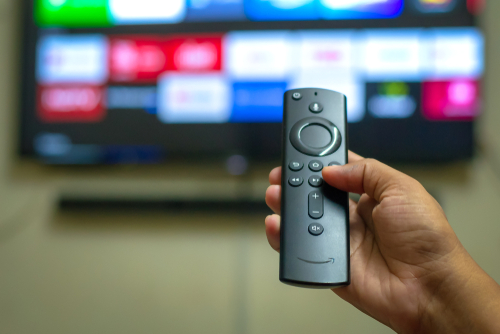
The Firestick remote control boasts several impressive features that enhance the streaming experience. One of its key advantages is its user-friendly design, characterized by a sleek and compact form that fits comfortably in the palm of your hand. With a minimalistic approach, the remote control features only a few essential buttons, allowing for easy navigation through the Firestick’s interface without overwhelming the user.
Additionally, the remote control includes a responsive and intuitive navigation pad, enabling effortless scrolling through menus and selection of desired content.
Another notable feature is the built-in voice control functionality. By pressing and holding the microphone button, users can utilize voice commands to search for movies, TV shows, and apps. This voice control feature proves incredibly convenient, particularly when seeking to quickly find and play favorite content without the need for manual typing.
Furthermore, the remote control is equipped with dedicated buttons for quick access to popular streaming services such as Netflix, Prime Video, and Hulu. These buttons eliminate the hassle of navigating through menus, allowing users to effortlessly jump straight into their preferred streaming platforms.
Wireless Connectivity Options

The wireless connectivity options of the Firestick contribute significantly to enhancing your streaming experience. The Firestick comes with built-in Wi-Fi capability, allowing you to effortlessly connect it to your home network and access a wide range of online content. Let’s explore three standout features of the Firestick’s wireless connectivity options:
- Dual-band Wi-Fi: The Firestick supports both 2.4 GHz and 5 GHz Wi-Fi bands, providing you with more choices for connecting to your network. The 2.4 GHz band offers a longer range but can be more congested, whereas the 5 GHz band delivers faster speeds but has a shorter range. With dual-band Wi-Fi, you can select the band that best suits your requirements and enjoy a seamless streaming experience.
- Bluetooth: In addition to Wi-Fi, the Firestick also offers Bluetooth connectivity. This enables you to connect wireless headphones or speakers to your Firestick, immersing yourself in an enhanced audio experience without disturbing others.
- Mobile hotspot support: The Firestick can be connected to a mobile hotspot, enabling you to stream content even when you’re on the move. This feature is particularly useful when traveling or in areas with limited Wi-Fi access.
Additional Hardware Accessories
When considering the hardware of the Firestick, it’s important to explore the various additional accessories that can enhance your streaming experience. The Firestick itself is a powerful device, but with the right accessories, you can take your streaming to the next level.
One popular accessory for the Firestick is the Ethernet adapter. This accessory allows you to connect your Firestick directly to your router using an Ethernet cable, providing a more stable and reliable internet connection. If you have a slow or unreliable Wi-Fi connection, using an Ethernet adapter can greatly improve your streaming experience.
Another accessory that’s worth considering is a USB hub. The Firestick has a limited number of USB ports, so if you have multiple devices you want to connect, a USB hub can be a useful addition. With a USB hub, you can connect devices like external hard drives, keyboards, or game controllers, expanding the functionality of your Firestick.
If you want to enhance your audio experience, investing in a soundbar or a home theater system is also a good option. The Firestick supports Dolby Atmos audio, so with the right audio setup, you can enjoy immersive sound while watching your favorite movies and TV shows.
Frequently Asked Questions
Can the Firestick Be Connected to a Computer Monitor?
The Firestick can indeed be connected to a computer monitor. By utilizing its HDMI port, you can easily connect the Firestick to the monitor, effectively transforming it into a smart TV.
What Audio Codecs Are Supported by the Firestick?
The Firestick supports a variety of audio codecs, including Dolby Digital, Dolby Digital Plus, and Dolby Atmos. These codecs ensure a high-quality audio experience when streaming content on the Firestick.
Does the Firestick Support Bluetooth Connectivity?
The Firestick is compatible with Bluetooth connectivity, allowing you to easily connect Bluetooth headphones, speakers, or other devices. This enables you to enjoy a wireless audio experience while using the Firestick.
Can the Firestick Be Used With a Wired Internet Connection?
Yes, the Firestick can be connected to a wired internet connection. To do this, simply connect an Ethernet cable from the Firestick to your router. By using a wired connection, you can ensure a stable and reliable internet connection, which is ideal for seamless streaming. Enjoy uninterrupted streaming with the Firestick and a wired internet connection.
Can External Storage Devices, Such as USB Drives, Be Connected to the Firestick?
Yes, external storage devices such as USB drives can be connected to the Firestick. This allows for an increase in storage capacity and enables the direct transfer and access of files from the Firestick device.
Conclusion
The Firestick’s powerful hardware allows for a truly exceptional streaming experience.
With over 100 million units sold worldwide, this device has gained immense popularity and user trust.
Whether you’re streaming your favorite shows or enjoying a movie night with loved ones, the Firestick’s performance will continue to enhance your entertainment experience.
Its exceptional hardware ensures smooth and reliable streaming, making it a top choice for streaming enthusiasts.
